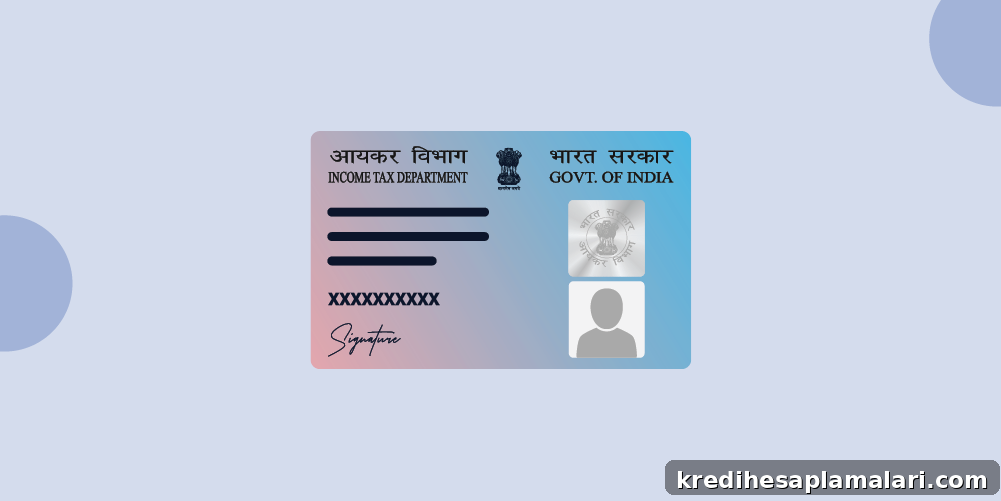
A PAN card is a unique identification number issued by the Income Tax Department to track financial activity. Many banks request that you link your PAN to your bank account so your income, taxes and major transactions are associated with a single record. If you haven’t linked your PAN yet, it’s advisable to do so soon to avoid restrictions or compliance issues.
This article explains why PAN-bank linking matters and provides clear, practical instructions for completing the process via internet banking, phone banking, mobile app, ATM or by visiting your bank branch.
Why Link PAN to Your Bank Account?
Linking PAN to your bank account has several important benefits and legal implications:
- Legal requirement for certain transactions: The government mandates PAN linking for specific account types and high-value transactions. Failure to comply can result in restrictions or penalties.
- Improved tax compliance: Linking PAN helps the Income Tax Department match transactions with your tax filings, reducing the risk of discrepancies and notices.
- Simplified verification: When your PAN is linked, banks can verify your identity and address more quickly, often without asking for additional documents.
- Reduced paperwork: Once your PAN is seeded to the account, you typically won’t need to submit photocopies of the PAN card for investments or account-related procedures.
How to Link PAN to Bank Account: Step-by-Step
Below are step-by-step instructions for the common methods banks provide to link PAN with your account. Follow the method that best suits you.
1. Through Internet Banking
Steps to link PAN via your bank’s internet banking portal:
- Step 1: Log in to your bank’s internet banking portal using your credentials.
- Step 2: Navigate to the Profile, Personal Information or KYC section.
- Step 3: Look for options labeled PAN Updation, PAN Linking, PAN Seeding or PAN Registration and select the relevant option.
- Step 4: Enter your PAN number and any requested details such as date of birth.
- Step 5: Submit the form. The bank typically updates the PAN within a few days (commonly 2–7 working days).
2. Through Phone Banking
To link PAN using phone banking:
- Step 1: Call your bank’s customer care number and authenticate yourself as required.
- Step 2: Choose menu options to reach a customer service executive.
- Step 3: Request PAN linking and provide the PAN number and verification information when asked.
- Step 4: Note the confirmation or reference number given at the end of the call for your records.
3. Through Mobile Banking App
Most banks allow PAN linking through their mobile app. Typical steps are:
- Step 1: Open the bank’s mobile app and sign in.
- Step 2: Go to Profile, e-Services or Settings and select Link PAN or Update PAN.
- Step 3: Enter the PAN number, account holder name, date of birth and any other requested details.
- Step 4: Verify the details and submit; you may receive an OTP for authorization.
- Step 5: After successful authorization, you will receive confirmation of PAN linking.
4. Through ATM
You can update PAN at many bank ATMs that support service requests. Typical steps:
- Step 1: Visit your bank’s ATM and insert your debit/ATM card.
- Step 2: Enter your PIN and navigate to Service Request or Account Services.
- Step 3: Choose Link/Update PAN Card and enter the PAN details accurately.
- Step 4: Note the reference number shown on the screen for future follow-up.
5. Offline at the Bank Branch
If you prefer in-person service, follow these steps:
- Step 1: Visit the branch where your account is maintained.
- Step 2: Request the PAN Linking or KYC Updation form and fill it out.
- Step 3: Submit the completed form along with a self-attested copy of your PAN card and any additional ID proof if requested.
- Step 4: The branch will process your request and provide an acknowledgment or reference number.
Which Accounts Require PAN Linking?
Government rules require PAN linkage for many account types and financial services, typically including:
- Savings accounts
- Current and cash credit accounts
- Fixed and recurring deposit accounts
- Demat accounts
- Credit card applications
Benefits of Updating Your PAN with the Bank
Seeding your PAN to your bank account offers practical advantages:
- Regulatory compliance: Reduces the risk of penalties or transaction restrictions.
- Smoother high-value transactions: Ensures large deposits, investments and other high-value operations are processed without delay.
- Faster processing: Speeds up verification for account updates and new services.
- Easier tax filing: Consolidates transaction records under your PAN, simplifying tax reporting.
- Less paperwork: Limits the need to repeatedly submit PAN copies for routine banking tasks.
Documents Required to Link PAN
Typically, you will need the following documents or information to complete PAN linking:
- PAN card copy: A self-attested copy of the PAN card for offline submission.
- Identity proof: In some cases, banks may ask for additional ID such as Aadhaar, passport or driving licence.
- Bank account details: Account number and other account identifiers to ensure the PAN is seeded to the correct account.
- PAN linking form: The bank’s PAN updation or KYC form if submitting at a branch.
Conclusion
Linking your PAN to your bank account is a straightforward step that can be completed online or offline. It supports tax compliance, simplifies verification and prevents potential transaction restrictions. Choose the method that is most convenient—internet banking, mobile app, phone banking, ATM or visiting your branch—and keep a record of any confirmation or reference number you receive.
FAQs on Linking PAN Card with Bank Account
Is it possible to link my PAN to my bank account online?
Yes. Most banks offer PAN linking through internet banking or their mobile apps. Log in, find the profile or KYC section and submit your PAN details as instructed.
How can I check if my PAN is linked to my bank account?
Check your net banking profile, review account statements for updates, or contact your bank for a status confirmation. Many banks also send an SMS or email once PAN seeding is complete.
What happens if I do not link my PAN to my bank account?
Not linking PAN where it is required can lead to restrictions on transactions, higher TDS in some cases, or penalties. Banks may also block or limit certain services until PAN is seeded.
Do I need to link PAN to multiple accounts held with the same bank?
Yes. PAN should be linked to each operative account you hold so banks can maintain accurate KYC and transaction records across accounts.
Can I link my PAN offline?
Yes. You can link PAN via phone banking or by submitting the required form and documents at your bank branch.
How long does PAN linking take?
Processing time varies by method and bank. Online updates are often completed within 24–48 hours, while branch requests may take a few working days. Phone banking timelines depend on the bank’s internal process.