How to Pay Loans Online: Methods, Benefits, and Smart Tips
Managing loan EMIs online is simple and convenient thanks to modern digital banking and payment services. Lenders and trusted third-party apps let you pay monthly EMIs, make pre-payments, or foreclose loans with just a few clicks. Understanding the available methods and security practices helps you stay on top of repayments while saving time and avoiding late fees.
Common online actions you can perform:
- Pay current or overdue EMIs
- Make part-payments or pre-payments
- Foreclose a loan when eligible
Below is a concise guide on how to pay EMIs online, the advantages of doing so, and security tips to protect your transactions.
How to Pay Your Loan EMIs Online?
The exact steps vary slightly among lenders and apps, but these general procedures apply across most platforms.
Through Net Banking
- Step 1: Log in to your lender’s net banking portal.
- Step 2: Navigate to the loans or cards section.
- Step 3: Select the loan account you want to pay for.
- Step 4: Enter the EMI or amount you wish to pay.
- Step 5: Choose your payment method (net banking, debit card, UPI where supported).
- Step 6: Complete the transaction and keep the confirmation or receipt.
Through Mobile App
- Step 1: Download and install the lender’s official app.
- Step 2: Register or log in with your credentials.
- Step 3: Open the loans section and select the account.
- Step 4: Enter the EMI amount or choose the scheduled payment.
- Step 5: Select your payment option (UPI, saved card, net banking) and authenticate the payment.
- Step 6: Save the payment confirmation for your records.
Using Third-Party Payment Apps
- Step 1: Open a trusted payment app and sign in.
- Step 2: Go to Bills, Payments, or EMI sections and choose EMI payment.
- Step 3: Enter lender and loan account details along with the EMI amount.
- Step 4: Pick a payment method such as UPI, wallet balance, or linked bank account.
- Step 5: Authenticate the transaction using the app’s security flow.
- Step 6: Verify confirmation and keep a copy of the receipt.
Interfaces differ between apps and banks, but following on-screen prompts will guide you through the payment. You should receive an instant confirmation from the lender or the payment service once the transaction is completed.
Advantages of Paying Personal Loan EMI Online
Paying EMIs online offers several clear benefits:
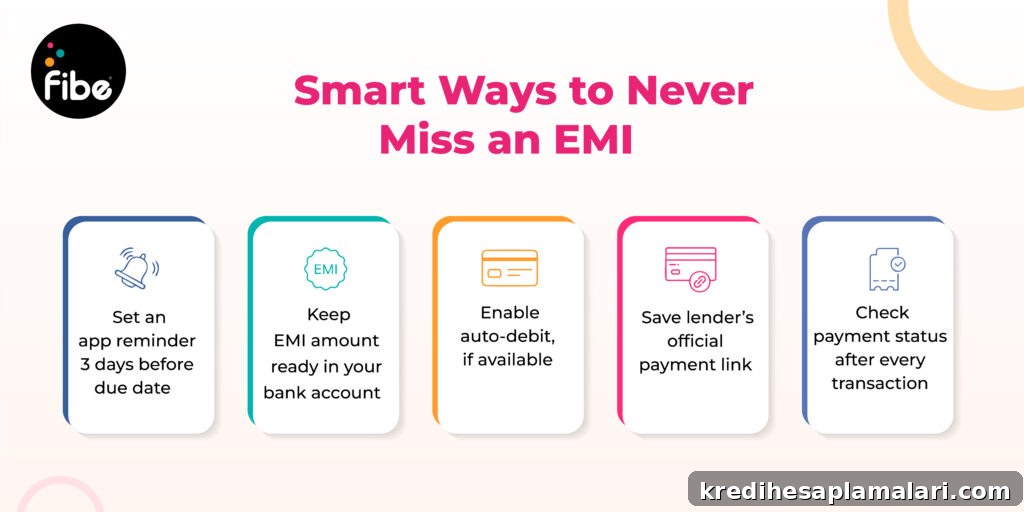
- Set reminders or auto-debit to avoid missed payments and penalties.
- Secure and reliable platforms with encryption and authentication.
- Instant receipts and transaction records for easy tracking.
- Multiple payment options including net banking, UPI, wallets, and cards.
- Convenience of making payments anytime and anywhere with an internet connection.
- Quick process that typically takes only a few minutes.
- No need to visit a branch or seek manual approval for standard payments.
- Receive immediate confirmation of successful payments.
- Payments can often be processed even on bank holidays.
- Ability to make advance payments or clear overdue EMIs online.
Security Tips for Making Online Payments
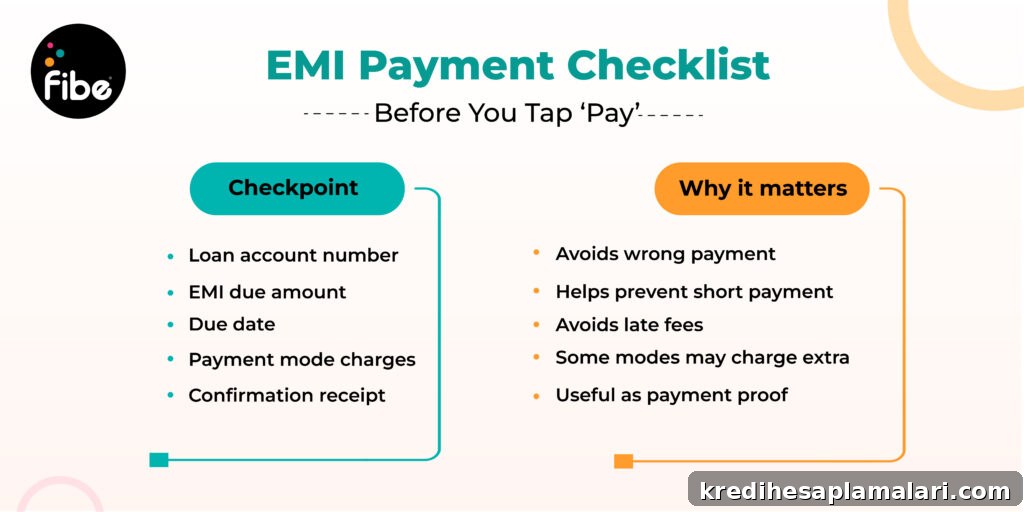
Follow these best practices to protect your financial information when paying EMIs online:
- Use only trusted and official lender portals or reputable payment apps.
- Confirm the app or website uses standard security measures such as HTTPS and two-factor authentication.
- Prefer user-friendly interfaces to reduce the chance of input errors.
- Check whether any transaction fees apply before confirming payments.
- Always double-check account numbers, loan identifiers, and the payment amount before submitting.
- Keep transaction receipts or screenshots until the payment is reflected in your loan statement.
By following these precautions, you can confidently automate or manually make EMI payments and avoid late charges. Use scheduled payments or reminders where available to maintain a clean repayment history.
FAQs on Online EMI Payment
How do I make a loan payment online?
Log in to your lender’s web portal or mobile app, or use a trusted third-party payment app. Select your loan account, enter the payment amount, choose a payment method (card, net banking, UPI), and complete the transaction. Save the confirmation as proof of payment.
How is an EMI payment done?
After selecting the payment channel, provide the loan account details. The platform will display the payable amount. Choose your preferred payment method and authorize the payment. The EMI amount will be deducted from your chosen funding source and your outstanding balance will reduce accordingly.
How can I pay EMI after the due date?
Overdue EMIs can typically be paid via your lender’s net banking or app. Check the loan account section for outstanding dues, select the overdue amount or total payable amount, and complete the payment. Note any late fees or penalties that may apply.
How can I check my EMI online?
Visit your lender’s net banking portal or mobile app to view EMI details, upcoming due dates, and outstanding balances. Some payment apps and UPI services also allow you to view EMI schedules and pay directly from within the app.
Using secure digital channels for EMI payments makes loan management faster, more transparent, and less stressful. Keep your login credentials safe, enable device security features, and review confirmations to maintain accurate payment records.