How to Obtain Your Bank Account Statement Quickly
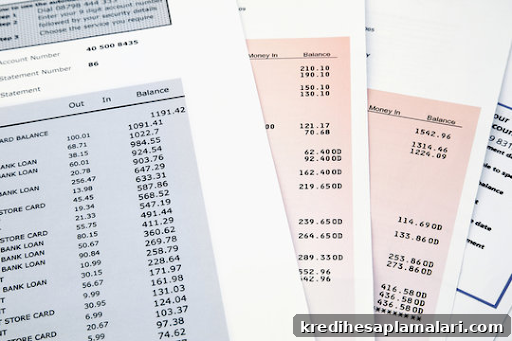
A bank statement, also called an account statement, is an official document issued by your bank that details transactions in your savings or current account for a specified period. It helps you monitor daily activity, review balances, and spot any discrepancies or unusual transactions.
Regularly checking your bank statement makes it easy to verify your current balance, detect suspicious activity, and correct any errors. Reviewing transactions also helps you understand spending patterns and improve budgeting by identifying recurring expenses and trends.
Bank statements are commonly required when applying for loans, as lenders use them to assess income stability, spending behavior, and repayment capacity. Before learning how to obtain a bank statement, it helps to know what information it typically contains.
Common details included on a bank statement:
- Your name and account number
- Your registered address
- The statement period
- Your bank’s customer service contact
- All transactions during the selected period, including debits and credits
- Opening and closing balance for the chosen timeframe
There are two main ways to get a bank statement: offline and online. Offline retrieval usually requires visiting your branch and submitting a request. You may receive a printed copy immediately or have it mailed to your registered address. For convenience and quick access, the online option is preferred. Below are common methods to obtain a bank statement online.
1. NetBanking and bank apps
The easiest way to get a bank statement online is via your bank’s mobile app or net banking portal. Both let you view and download statements instantly. General steps:
- Log in or register on your bank’s net banking portal or open the bank’s mobile app
- Find options such as “Download statement” or “View transaction history”
- Select the date range required and choose “Download”, “Send PDF”, or “Email to registered address”
You will typically receive an encrypted PDF by email or be able to download the statement directly from the portal.
2. Check your registered email id
Many banks send periodic summaries or consolidated statements to your registered email. To retrieve statements from email:
- Log in to the email account registered with your bank
- Search for terms such as “bank statement”, “account statement”, or “transaction summary”
- Open the bank’s email, which often contains a password-protected PDF of your statement
- Download the PDF and enter the provided password to open or upload the file elsewhere
3. At the ATM
You can obtain a quick mini statement at most ATMs. This method is simple and accessible to anyone with a debit or ATM card:
- Go to your bank’s nearest ATM with your debit/credit card
- Enter your PIN
- Select “Mini statement” or “Print mini statement”
- The ATM will print a short history of recent transactions
How to check a bank statement online?
Follow these steps to view your bank statement online:
- Step 1: Log in to your bank’s website or mobile app using your credentials
- Step 2: Choose the period for which you want to view transactions
- Step 3: Click the “Get Statement” or equivalent option
- Step 4: View the statement on screen and review all debits and credits
If you find any errors or unauthorized transactions, contact your bank immediately to report the discrepancy. Regularly reviewing statements helps ensure your records are accurate and supports applications that may require proof of income, such as visa or loan applications.
Most banks offer online statements for convenience. Keep in mind that banks typically retain transaction records for a limited period (often up to seven years), so download and archive essential statements—either digitally or as printed copies—for future reference.
Bank statements offer a clear snapshot of your financial activity, helping you monitor spending, plan budgets, and work toward financial goals.