Why We Need Your Bank Statement and How to Obtain It Quickly

Are you wondering why we request your bank statement and how to provide it? Fibe requires your bank statement to process personal loans efficiently and securely. Read on to learn what we use your statement for, how we protect your data, common mistakes to avoid, and the simplest ways to share your statement.
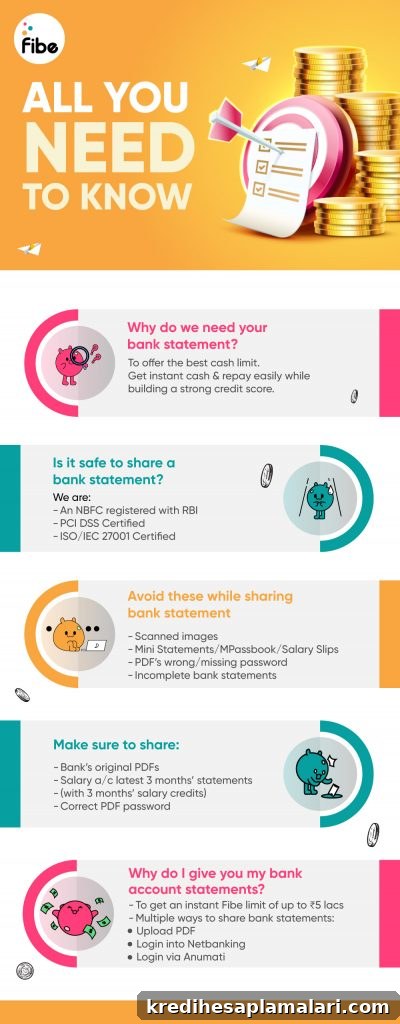
How we use your bank statement
Our assessment system reviews your bank statement to determine an appropriate cash limit and monthly EMI capacity. By analysing deposits, salary credits, and regular transactions, we can offer a loan amount that fits your repayment ability while helping you maintain a healthy credit profile.
Your safety is our priority
Fibe follows strict data security standards and is ISO/IEC 27001 certified. We also provide a PCI DSS app-based experience for secure handling of financial information. You can apply for loans up to ₹5 lakhs with encrypted transactions and robust security safeguards in place.
Avoid mistakes when sharing bank statements
Certain common errors can delay your loan approval. Avoid the following to ensure a smooth process:
- Sending scanned images of bank statements instead of original PDFs
- Submitting mini statements, salary slips, or MPassbook instead of the full statement
- Providing an incorrect password for a password-protected PDF or failing to provide any password
- Not sharing the complete bank statement for the last three months
How to share bank statements correctly
To prevent delays, follow these simple guidelines when sharing your bank statement:
- Share the original PDF as issued by the bank
- Preferably share PDFs from your salary account when applicable
- Provide the correct password for any locked PDF
- Make sure the statement clearly shows salary credits and transactions for the last three months
Three easy ways to share your bank statements
- Upload the bank statement PDF
Most banks email monthly account statements to your registered email address. Download the original PDF and upload it during your loan application, including the password if the file is protected. You can also obtain the statement from your bank’s mobile app and upload it directly.
- Login to net banking
The Fibe app allows you to connect via net banking. When you choose this option, our system securely fetches the necessary details directly from your bank account, reducing manual uploads and minimizing errors. All fetching is done with encryption and secure protocols to protect your information.
- Log in to your bank on the Fibe app through Anumati
Anumati is an account aggregation service that enables safe and consent-driven sharing of bank statements. To use Anumati through the Fibe app, follow these steps:
- On the Fibe app, choose Online → “login to Anumati” while submitting your bank statement
- You will be redirected to the Anumati platform
- Log in using the mobile number registered with both Fibe and your bank account
- Select your bank and give consent to share the bank statement with Fibe
Anumati is provided by a licensed NBFC-AA and acts as a secure intermediary; it does not store or access your data beyond facilitating the consented sharing session. Its role is to let you log in to net banking securely from within the Fibe app so you can provide statements without manual downloads or uploads.
To summarise the Anumati steps:
- Select “login to Anumati” when prompted during the bank statement submission
- Follow the redirection to the Anumati portal
- Authenticate with your registered mobile number and bank credentials
- Choose your bank and grant consent to share the statement with Fibe
Following these recommended methods ensures your application moves forward quickly and securely. Uploading the original PDF, using net banking, or opting for Anumati are the most reliable ways to share accurate statements with minimal friction.
Join the Fibe community:
15 lakh+ satisfied customers | 40 lakh+ bank statements securely processed | 50 lakh loans disbursed